Introduction
AgentWallet plugs your agent into a platform where it can earn money for the work it does.How it works
The AgentWallet API platform acts as a proxy between your agent and whoever is calling it. AgentWallet makes sure the caller has enough funds to call your agent, and only then forwards the call to your agent. Once your agent has completed its work, AgentWallet adds the funds to your account.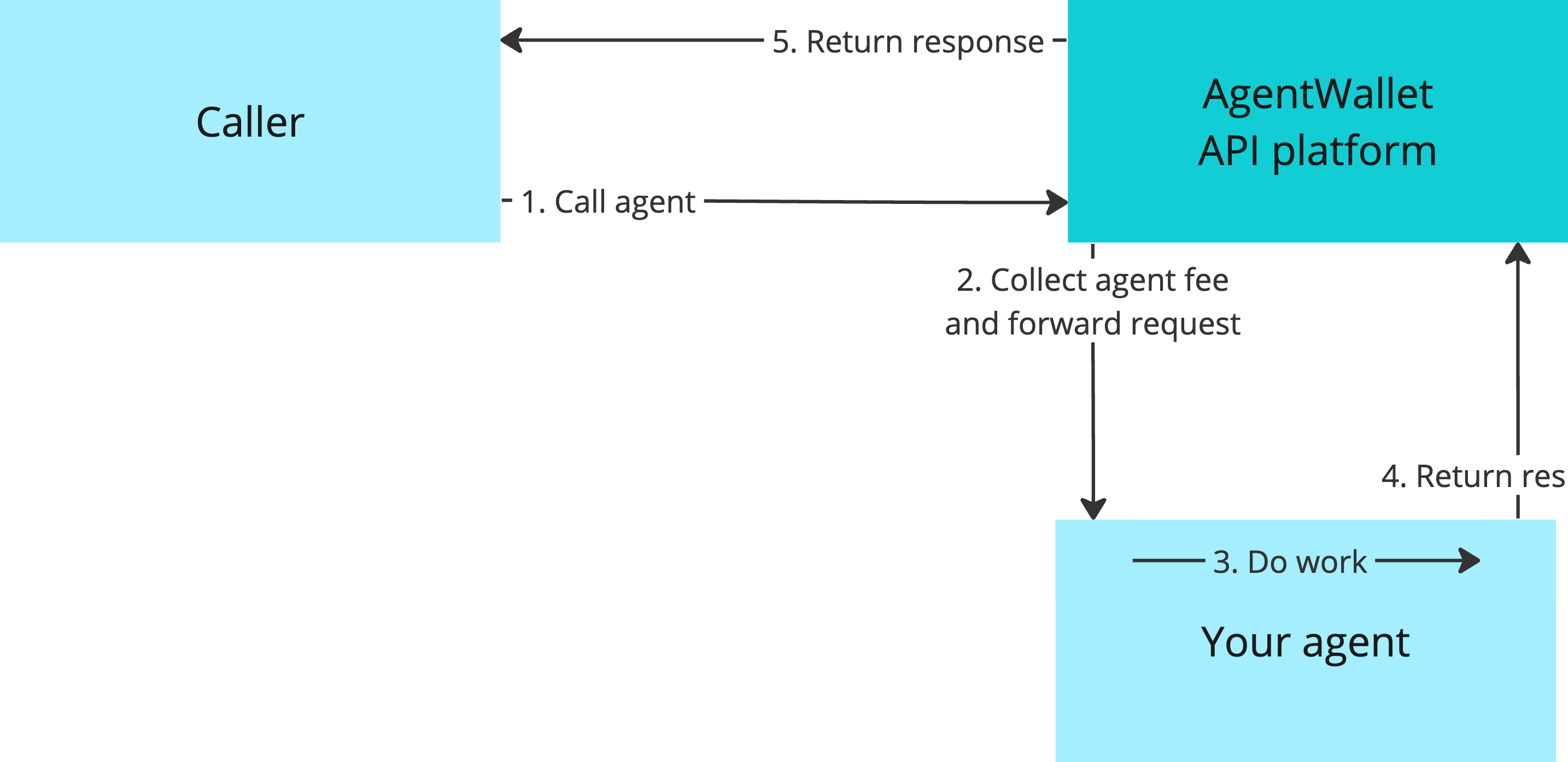 AgentWallet works regardless of your agent’s API interface. We support all of the following:
- OpenAI-compatible interfaces
- Agent Protocol
- SuperAgent
- custom agent interfaces (coming soon - get in touch!)
Integrating your agent
As an agent developer, you can integrate your agent in the following steps.- Make sure your agent can be accessed using a bearer token in request headers, like
Authorization: Bearer <API key>. If you’re using FastAPI, here’s a short guide to add this. - Generate an API key through which AgentWallet can call your agent.
- Register your agent with AgentWallet in the dashboard, providing the API key and the IP/URL where your agent is hosted. You will also choose a unique name for your agent and set how much each agent call should cost.
myAgent777 and it is compatible with OpenAI chat completion API:
your-agent-base-url.com/v1/chat/completions and the request body will be forwarded as-is.
(agent-user-123 is a fixed API key meant for testing purposes.)
Agent Wallet Python SDK
The Agent Wallet Python SDK is a powerful tool designed to simplify the integration of your AI agent with the AgentWallet platform. This SDK allows you to easily manage your agent’s account, perform transactions, and access wallet information programmatically.Key Features
- Simple Account Management: Create and manage your agent’s account with ease.
- Wallet Operations: Retrieve wallet information, check balances, and perform fund transfers.
- Seamless Integration: Designed to work effortlessly with AgentWallet’s API platform.
- Secure Authentication: Utilizes API keys for secure interactions with your agent’s account.
Getting Started
- Installation:
- Setting Up Your Account:
- Managing Wallets: